
Syphon Tools16 tools · Windows 10 / 11
About me

Hi, I’m Syphon.
Nice to meet you.

I’ve been building things for gamers since 2004. Here’s who I am, and straight answers to the rumours.

2004Building since
7Projects
259On my Discord
My story

Online, everyone knows me as Syphon

I started my first Ragnarok Online server, RebirthRO, back in 2004, and I’ve been building things for gamers ever since.

I make things because I love making them. When an idea comes to mind, I build it. Syphon Tools grew out of exactly that: 16 handy tools in one free app.

I know some people say it’s a miner, a virus, or that I’m secretly getting something out of it. That’s far from the truth. And I get it: being careful with free software is smart.

Here’s the thing: I have far more to lose than to gain. I already earn a good living, so Syphon Tools doesn’t need to make me anything. It just needs to be good.

Spread love, not hate.That’s how I try to live, and people who know me know that already.
My projects

Why I’d never risk it

I’ve been running game servers since 2004. Today that’s GemstoneRO, RevivalRO, GemstoneWoW and DefiantScape, plus RateMyRagnarok and RankedPrivateServers, and people trust those communities with their time every day. Hurting anyone with Syphon Tools would throw all of that away overnight. It would be the dumbest thing I could do.

They’re all out in the open. Go take a look.
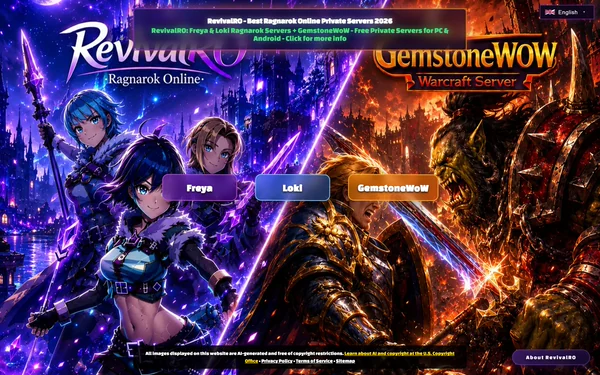
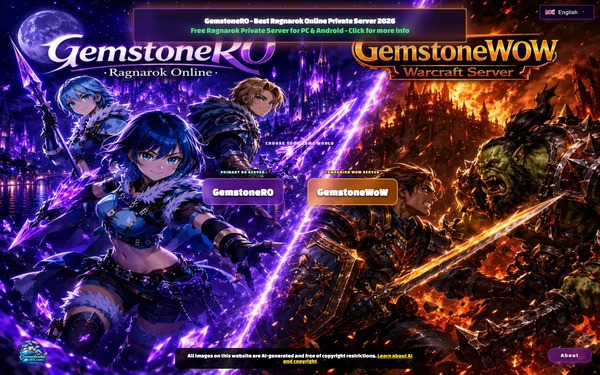
The GemstoneRO website gemstonero.com Ragnarok Online · since 2024 GemstoneRO A free Ragnarok Online server with the newest Renewal content (EP21, 4th jobs), on PC and Android. No pay‑to‑win. “My take on modern Ragnarok: all the new content, fair for everyone.” The RevivalRO website ragnarevival.com Ragnarok Online · Freya & Loki RevivalRO A free Ragnarok Online server with two worlds: Freya (Renewal) and Loki (classic Pre-Renewal). The continuation of RebirthRO, which I founded in 2004. “Where it all started for me, and still home to a lot of great people.” The GemstoneWoW website gemstonewow.com World of Warcraft · WotLK GemstoneWoW A free Wrath of the Lich King server (patch 3.3.5a). No cash shop and no pay‑to‑win. “A hobby server, made to keep Wrath of the Lich King alive for the people who love it.” The RateMyRagnarok website ratemyragnarok.com Ragnarok server reviews RateMyRagnarok Find, compare and review Ragnarok Online servers, with a big item and monster database. No banner ads. “Built because the RO community deserved an honest, modern place to compare servers.” The RankedPrivateServers website rankedprivateservers.com Server toplist RankedPrivateServers A free toplist of game private servers, ranked by player votes. No paid placement. “My answer to fake votes: a list where real players decide.” The DefiantScape website defiantscape.com RuneScape · Old School style DefiantScape A free RuneScape private server in true 2007 Old School style, with bosses, raids, PvM and PvP, and an economy driven by players. “Old School RuneScape the way it should be, built with the community, for the community.” The Syphon Tools website You are here Windows 10 & 11 Syphon Tools 16 handy tools in one free app. “When an idea comes to mind, I build it.”
The rumours

Straight answers

“Is Syphon Tools a crypto miner?”

No.

Using your PC to make money behind your back goes against everything I stand for. Don’t just take my word for it: the checks further down let you see for yourself.

See the checks

“Is it a virus?”

No.

The VirusTotal check on this page lets you see the scan results with your own eyes, and the section below shows what else you can check yourself.

See the scan

“So what’s in it for you?”

Honestly?

The fun of making it, and hearing that it helped someone. That’s enough for me. I’m not doing this for the money.

Ask me yourself
69/71
Setupdidn’t flag it
66/70
Appdidn’t flag it
Checked on VirusTotal · 30 Sep 2026 · v3.10.0

See the scan with your own eyes

Syphon Tools was scanned by 71 antivirus engines. These well-known ones find nothing:

KasperskyBitdefenderESETNortonMcAfeeAvastAVGAviraMalwarebytesTrend MicroWebrootF-Secure

A few scanners do flag it. The download page shows what each one says.

Check it yourself

Don’t just take my word for it

Six quick checks, with free tools from Windows and Microsoft.

  1. Task Manager · Processes

    What’s running

    Press Ctrl + Shift + Esc. On Processes, Syphon PC Optimizer is only there while the app is open. On Details it’s SyphonOptimizer.exe.

    Every tool opens in its own window, so you can run several at once. Minimized, a tool keeps running on the taskbar. Syphon Torrent can also hide in the tray by the clock: right-click its icon for Open, All tools or Exit.

    Helpers you may see

    Some tools start a helper only while you use them. It shows up under Syphon and goes away when you close that tool:

    • aria2c.exe: Syphon Torrent, while downloading
    • media_fetcher.exe (the open-source video downloader yt-dlp) and ffmpeg.exe: Syphon Downloader
    • ffmpeg.exe: Screen Recorder. A few copies for a moment when you open it, while it tests your graphics card’s video encoders, and one while recording
    • syphon_diskspd64_….exe: Disk Benchmark
    • The graphics maker’s own driver setup, in its own window: Syphon Updater, until the graphics driver you asked for is installed
    • Short flashes of powercfg, fsutil, netsh, bcdedit, powershell, sc: PC Optimizer, while it scans or applies settings
    • netsh: Connection Booster. arp: Port Check network scan. powershell: Uninstaller, when you open the Windows apps list

    Syphon force-closed during a torrent or video download? The helper may finish on its own. You can end it in Task Manager.

    After you close it, nothing of Syphon keeps running.
  2. Task Manager · Performance

    CPU and GPU at rest

    Open Performance and watch CPU and GPU while you do nothing: first with Syphon closed, then with it open on the tool menu. A miner would keep them busy.

    What a miner looks like
    • Your CPU or GPU is busy (often 50–100%) while you do nothing. Loud fans, a warm PC at the desktop.
    • A process you don’t recognise, often with a fake name (like a second “svchost.exe”), running from AppData or Temp.
    • It starts itself again after a reboot, from Startup, a scheduled task or a service (checks 03 and 04).
    • Some miners pause while Task Manager is open, so also check the startup places and your idle temperatures.
    A little CPU for the animations, no heavy GPU use. Syphon only works your PC hard when you start a stress test, benchmark, recording or speed test, and it stops when you press Stop or close that tool.
  3. Task Manager · Startup apps

    Starts with Windows?

    In Task Manager, open Startup apps (on Windows 10: the Startup tab).

    No Syphon entry. Nothing starts with Windows.
  4. Microsoft Autoruns

    Every place that starts things

    Get Autoruns from Microsoft and run Autoruns64.exe. Tick Options → Hide Microsoft Entries, type Syphon in the Filter box, and look through Logon, Scheduled Tasks, Services and Drivers.

    Good to know
    • Optional: Options → Scan Options → Check VirusTotal.com gives every entry an antivirus score.
    • Turned on “Open magnet links with Syphon”? Then Syphon opens when you click a magnet link. That’s a link setting, not a startup item. See Settings → Apps → Default apps and type MAGNET.
    • Used the PC Optimizer? A few Microsoft services and two Microsoft telemetry tasks may show as disabled. That’s the optimizer at work: Syphon didn’t add anything.
    No Syphon entries: no service, driver, scheduled task or startup item.
  5. Microsoft Process Explorer

    A virus check for every program

    Get Process Explorer from Microsoft and run procexp64.exe. Choose Options → VirusTotal.com → Check VirusTotal.com and accept VirusTotal’s terms.

    Good to know
    • Syphon’s helpers appear indented under SyphonOptimizer.exe, so you can see exactly what started them.
    • Click a score for the full report. Process Explorer only sends VirusTotal file fingerprints (hashes), unless you also choose Submit Unknown Executables.
    • Options → Verify Image Signatures shows who signed each file. Syphon’s own program is not code-signed yet, so it says “no signature”.
    • The helpers are open-source tools: yt-dlp (named media_fetcher.exe), ffmpeg and aria2c. Their scores depend on the build.
    • Microsoft lists Process Explorer for Windows 11. On Windows 10, checks 01 to 04 cover the same ground.
    A VirusTotal score for every running program, Syphon too. A few engines may flag Syphon: AI and “generic” guesses, common for small publishers.
  6. Windows Security · PowerShell

    Scan it, and match the code

    Right-click the folder C:\Program Files (x86)\Syphon Optimizer (Windows 11: first Show more options) and choose Scan with Microsoft Defender. Then run this in PowerShell:

    Get-FileHash "C:\Program Files (x86)\Syphon Optimizer\SyphonOptimizer.exe"
    Good to know
    • Or open Windows Security → Virus & threat protection → Scan options → Custom scan and pick the folder.
    • For the download itself, run Get-FileHash on the ZIP in your Downloads folder and compare it with the code at the bottom of the downloads page.
    The same code as the SHA-256 on the downloads page? Then it’s exactly the file I released. Syphon updates itself, so compare with the newest version.
Uninstall

Want it gone?

Close Syphon (tray icons too), then Settings → Apps → Installed apps → Syphon Optimizer → Uninstall. That removes the program folder and its shortcuts.

Your settings stay as they are: uninstalling doesn’t undo PC Optimizer or DNS changes. To go back, use the restore point you made (search Start for Create a restore point, then System Restore), and set DNS back under Settings → Network & internet → your adapter → DNS server assignment → Automatic.

Syphon Limiter is different: its pauses and upload limits are Windows Firewall rules in the group Syphon Limiter and QoS policies named Syphon Limiter - …. Press its Reset all button before you uninstall, so no app stays paused. With the setup from version 3.10.0 on, uninstalling does this for you and deletes your Connection history.

Optional clean-up

Press Win + R and paste each of these:

  • %TEMP%: delete media_fetcher.exe, ffmpeg.exe, aria2c.exe and files starting with syphon_
  • %APPDATA%\SyphonTools and %APPDATA%\SyphonOptimizer: settings and saved macros
  • %LOCALAPPDATA%\SyphonTools: Uninstaller backups, the Syphon Updater’s history and Syphon Limiter’s usage history
  • %PROGRAMDATA%\SyphonTools: Syphon Limiter’s rules
  • Desktop: any Syphon tool shortcuts you made that are still there
  • Turned on magnet links? Pick another app for MAGNET in Default apps.
Come say hi

Don’t know me yet? Come say hi.

The best way to find out if you can trust someone is to talk to them. Join the Discord, ask me anything, and get to know me.

259 members · 14 online now

See you there. Syphon

Discord259 members